
PRACTICAL ANIMATION GUIDE / 2026
White-Label Motion Design Workflow for Web and Product Agencies
A white-label motion workflow gives an agency one clear production partner while the agency retains the agreed client relationship. Define the scope, approval owner, source assets, runtime and delivery package before animation begins. Then review visual direction, timing and final exports at separate checkpoints. Recurring capacity and pricing should be agreed in a proposal, not implied by an unlimited-animation promise.
1. Define who owns the client conversation
An agency may need specialist motion support without changing the way its client experiences the project. The first decision is therefore about responsibility. Will the agency consolidate feedback and present the work, or should the motion designer join selected calls? Who can approve a direction? Who can authorize a scope change? Write those answers into the project setup so a friendly discussion cannot accidentally become an unapproved production request.
White-label does not need to mean invisible communication. It means the parties agree how the contribution is presented. Establish names, meeting access, review tools and file sharing at the start. Discuss confidentiality, source-file access and portfolio permissions before any public use. NDA arrangements and contractual rights need agreement for the specific engagement; a generic workflow article cannot establish them on either party’s behalf.
Keep the brief anchored to a product outcome that can be described without invented metrics. Examples include explaining an onboarding step, showing a connection state or introducing a dashboard feature. Do not promise an increase in sales simply because the final result will look more polished. If the agency wants to measure conversion, define the measurement separately with the client and the implementation team.
| Responsibility | Suggested agency owner | Suggested motion partner responsibility |
|---|---|---|
| Client goals and approved messaging | Account or strategy lead | Raise ambiguity before production |
| Brand assets and screen accuracy | Design lead | Check readiness for animation |
| Motion direction and timing | Named approval owner | Prepare and explain review material |
| Runtime and integration | Agency developer | Supply agreed exports and playback notes |
| Consolidated feedback | Project manager | Apply approved changes within scope |
| Final acceptance | Authorized agency approver | Deliver the checked, versioned package |
This matrix is a starting proposal, not a description of every past client engagement. Replace role names with actual people. A small agency may have one person in several columns; the important part is knowing whose decision moves the work forward.
2. Collect the approved Figma and brand assets
An approved Figma screen can still contain material that is awkward to export or animate. Before scheduling production, identify what is supplied and what needs preparation. List the relevant frames, vector artwork, fonts, logos, copy and any reference videos. Clarify whether the motion partner may simplify the artwork for the chosen runtime, or whether those changes need design-team approval.
Confirm that the screen represents the version the client will ship. A beautiful animation based on an outdated navigation or old pricing screen can create rework late in the project. If the interface is still changing, define which areas are stable and which remain provisional. It may be sensible to approve a representative sequence first instead of animating an entire interface that will soon be redesigned.
Use original portfolio references to discuss specific decisions. The dashboard controls preview can help describe component emphasis. The data-card preview is useful for discussing an interface illustration. The connection icon can support a conversation about a compact status transition. These are visual references from the studio, not claims that a particular agency commissioned them or achieved a measured business result with them.
Before work begins, the developer should confirm where the asset will run. A website hero, a mobile onboarding screen and a marketing video may need different exports even when they share the same design. Document the player, renderer where relevant, target sizes and available events. For packaging choices, read dotLottie versus JSON. For a broader intake document, use the animation brief template.
3. Separate internal review from client review
Build the review schedule around decisions. A direction review answers whether the visual approach is right. An animatic or timing review answers whether the sequence communicates the intended message. An animation review checks the finished movement. Export QA checks the delivered files in the target environment. Mixing those decisions into one final meeting makes it harder to know whether a comment is a refinement or a new direction.
The agency can review internally before showing work to the client. That provides a chance to catch brand, copy and product accuracy issues without asking the client to resolve production details. Agree how feedback will be consolidated. A single prioritized list with timecodes or annotated frames is easier to act on than several overlapping threads from people with different assumptions.
Distinguish a revision from a scope change in plain language. Adjusting the timing of an approved transition may be a revision. Replacing the product story, introducing new screens or changing a supplied visual style may require additional work. The written proposal should specify the included rounds and how extra requests are handled. It is better to surface that distinction before work begins than to debate it during a launch deadline.
Keep approval records close to the deliverables. Save which version was reviewed and what the reviewer approved. If the client later returns to a rejected direction, the agency can make a deliberate schedule and scope decision. This is practical project coordination, not a requirement for a particular management tool. A shared document can work if the team consistently uses it.
Ask for one useful review deadline at each checkpoint. If feedback arrives later, confirm the revised production slot rather than pretending the original handoff date has no dependencies. The project process describes the sequence from brief to handoff. Actual timing belongs in the approved schedule and depends on asset readiness, scope, feedback and availability.
4. Deliver runtime files and editable sources
Treat the runtime export and the editable project as separate deliverables. A developer needs the files that the application will load, any dependencies and clear playback instructions. A design team may also need editable source projects for future changes. Confirm both in the scope, including any font, image or plugin dependencies that affect the ability to reopen the source.
The handoff should identify the approved version and its intended use. Include file names, preview links, dimensions, loop behavior, event or segment mapping, and the reduced-motion fallback. If a package contains several states, explain how they relate. A developer should not have to infer whether a final frame is a resting state or an accidental end to the preview.
Check the actual target integration when implementation QA is included. A standalone player preview is useful, but it does not reproduce every layout, loading or lifecycle decision in the application. Identify who will place the files, who will test them and who will fix issues outside the animation scope. A clean responsibility boundary makes the project easier to support after launch.
| Delivery item | What it helps the receiving team do |
|---|---|
| Approved preview | Compare the implementation with the agreed visual result |
| Runtime export and required assets | Load the intended animation without missing dependencies |
| Playback and state notes | Connect motion to the correct user or application events |
| Static fallback | Keep the interface understandable when motion is unavailable or reduced |
| Agreed editable source files | Make future changes with the necessary dependencies |
| Version and acceptance notes | Identify which package is approved for implementation |
Use the developer handoff checklist to define this package in more detail. It includes a delivery manifest and practical questions to settle before final export. Naming a file “final” is not a substitute for identifying its version, purpose and dependencies.
5. Plan recurring capacity without an unlimited promise
Recurring work can be valuable when an agency has a predictable stream of small product updates, launch assets or client requests. Begin with the kinds of requests that actually recur. Separate simple variations from new illustrations, complex interactions, video production and implementation support. Counting all of them as one animation hides the difference in effort and makes the monthly agreement harder to manage.
A useful capacity proposal should define the deliverable mix, request queue, review rounds, turnaround assumptions and treatment of unused or excess scope. Identify how urgent requests affect already approved work. Decide who prioritizes the queue. These details are more useful than a broad promise that every request will be delivered immediately.
The agency partnership page currently offers recurring motion support with scope and fee by proposal. It does not publish a fixed monthly capacity or retainer price. That is intentional: a meaningful quote requires the likely request volume, complexity, review process and reserved availability. No agency rate or monthly output has been invented for this article.
For an initial engagement, a defined pilot can help both teams learn the workflow. Choose one representative deliverable with a clear approval path and handoff. Review how well the intake, feedback and integration worked before planning a larger queue. This is a suggested approach, not a claim that a pilot guarantees a long-term partnership or a particular financial result.
To discuss a project, send the approved screen or brief, desired launch window, expected request mix and the developer’s runtime requirements. The agency page includes the capabilities PDF and a route to a call or brief. If the scope is already fixed, the services and packages provide a starting reference. The final agency arrangement should state its own deliverables and terms clearly.
ORIGINAL PORTFOLIO REFERENCES
See the motion behind the decisions.
Preview these real studio assets to discuss visual direction. Portfolio access does not grant a reuse licence for commissioned work.
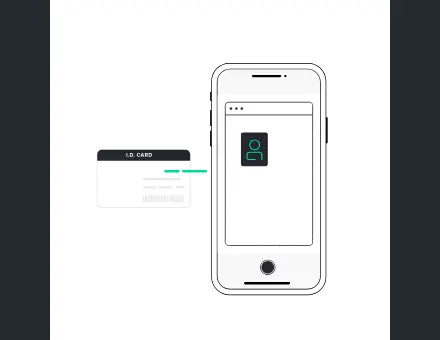 UI App Data ID Card
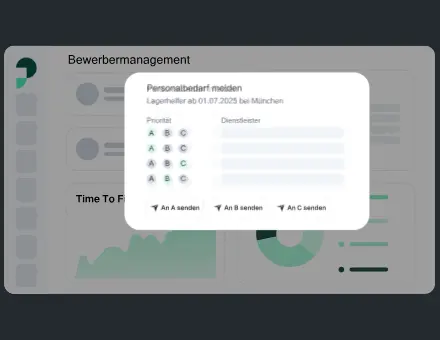 UI Dashboard Buttons Modals
 Icon Connect
Frequently asked questions
Can the agency remain the only client contact?
Yes, that can be the proposed communication arrangement. Name the agency approval owner, consolidate feedback and agree how reviews are presented. Any direct client participation by the motion partner should be intentional and agreed for that project.
Is an NDA automatically included?
An NDA can be discussed for the engagement. The parties still need to review and agree its terms. Confirm confidentiality, file access and portfolio permissions before sharing restricted materials or publishing work.
Does a Figma file mean the artwork is ready for Lottie?
Not necessarily. The relevant frames may need preparation or simplification, and some visual effects may not suit the chosen runtime. A readiness review should identify supplied assets, required changes and who approves them before animation starts.
How many revisions are included?
Use the revision allowance in the written scope or selected package. The website’s defined Sprint packages list their included rounds, but a bespoke agency engagement needs its own agreement. New scenes or a changed direction may affect the quote.
Is there a fixed monthly motion retainer price?
No public monthly rate or animation allowance is currently specified. Recurring scope and fee are by proposal, based on the likely request mix, complexity, review process and reserved capacity.
Will our developer receive editable source files?
Confirm the exact source and runtime deliverables in the scope. Include any dependencies and usage instructions needed by the receiving team. The handoff should distinguish the implementation package from the editable production project.
