
PRACTICAL ANIMATION GUIDE / 2026
SaaS Hero Animation: Scope the Message Before the Movement
A SaaS hero animation brief should define the product question the visual answers, the visitor action it supports, and the first frame that works before playback begins. Add approved artwork, mobile behavior, a target runtime and clear review criteria. Scope the story before choosing effects: a hero should help someone understand the product without making the headline, CTA or page load depend on watching a complete loop.
1. Choose the product question the hero answers
Start with the visitor’s uncertainty. They may want to know what the product does, how information moves through it, or what a completed task looks like. Choose one question for the hero to answer. A sequence that attempts to explain every feature can become a small explainer film squeezed into the first screen. That may leave the visitor looking at movement without understanding why the product matters.
Write a short sequence in ordinary language. For example: a user connects a source, sees organized information and opens a useful result. This is an illustrative briefing exercise, not a claim about a named client product. The sequence should be accurate for the actual application. If the software cannot perform a step, animation should not imply that it can. Product accuracy is part of the creative review.
Identify what must be shown literally and what can be simplified. A hero rarely needs every table row or toolbar label from a full dashboard. It may need one recognizable screen, an input and a result. Agree which visual details are essential before simplifying. The goal is a clear representation of a real workflow, not an attractive interface that the product does not contain.
Original studio references can help separate different visual approaches. The UI reveal reference supports a conversation about introducing a screen. The animated cube or logo reference suggests an abstract brand treatment. The dashboard controls reference helps discuss focused component movement. These are examples of visual work; they are not evidence that a hero built from them increased conversion for a client.
2. Keep the CTA and copy understandable
The headline and supporting copy should explain the offer even if the animation never plays. This gives the visitor a useful first screen on a slow connection and makes the design easier to evaluate as a static composition. Place the call to action where it remains available throughout the sequence. Avoid making a button appear only after the visitor has watched the final scene.
Decide which action the hero should support. For an early product, that might be a demo request. For a self-serve tool, it might be trying the product. For a specialist service, it could be opening a brief or viewing relevant work. Choose a primary action before comparing visual treatments. Otherwise a review can drift toward the most impressive motion rather than the most understandable path forward.
Review the relationship between text and imagery. If the copy describes a document workflow while the animation shows an unrelated orbiting object, ask what that object contributes. Abstract motion can be appropriate for a brand, but the decision should be deliberate. A literal product illustration may be stronger when the main obstacle is understanding a new workflow. There is no universal rule that every SaaS hero must show a dashboard.
Create a static review frame with the actual headline, subheading and buttons. Check it at the desktop and mobile widths the site supports. This can reveal a composition problem before animation production begins. A visual may need a different crop or arrangement on a narrow screen. Solving that at the style-frame stage is more direct than trying to rescue an unsuitable desktop composition at export.
| Brief decision | Useful input | Approval question |
|---|---|---|
| Product message | One accurate workflow or benefit | Can a first-time visitor explain what is shown? |
| Main action | The real CTA label and destination | Is the next step visible without watching the loop? |
| Visual treatment | Approved UI, illustration or brand assets | Does this represent the actual product and brand? |
| Mobile composition | Small-screen layout and fallback | Is the important content still readable? |
| Review criteria | Named owner and concrete checkpoints | Who can approve the message, timing and export? |
3. Define the first frame and mobile fallback
Treat the first frame as a designed asset. It should look intentional while the animation data or player is loading. A blank player area or unfinished transition is a weak default for the most visible part of a landing page. The first frame can also become the fallback image, provided it communicates the intended message without movement.
Reserve the visual’s space in the layout. Decide whether its aspect ratio stays the same on mobile, changes with a dedicated composition, or gives way to a simpler static image. Keep the headline and CTA outside an animation file when they need to remain ordinary selectable, accessible page content. The file should not become the only place a visitor can find an important instruction or claim.
Define reduced-motion behavior before production. The prefers-reduced-motion preference can be detected from CSS or JavaScript, as described by web.dev. For this hero brief, specify a stable poster or a restrained alternative and test that the page still communicates the same offer. The exact fallback is a design decision; the preference itself does not tell the player which frame is meaningful. See the implementation reference.
Test the transition from poster to player. An obvious jump in crop, color or composition can make the first interaction feel unfinished. Make the preview dimensions and chosen frame consistent with the runtime output. Also define what happens when the animation asset fails. The static hero should remain useful, with the visitor still able to read the offer and follow the call to action.
4. Set a performance and review budget
A file-size target is useful only when it is attached to a real visual and runtime. Ask the developer how the player will load, what else competes for the first screen and which devices matter. A small compressed file can still describe complicated artwork, while an optimized static fallback can provide a strong initial experience. Evaluate transfer cost and rendering behavior separately.
Include an implementation checkpoint in the scope if the work requires it. A standalone animation preview does not show the entire page’s loading behavior. Test the actual landing page with the agreed player, images, fonts and analytics. Record what was tested rather than promising a universal performance score. A local Lighthouse result is a laboratory observation; it does not guarantee the same result for every visitor or hosting environment.
For additional CSS movement around the hero, browser rendering cost matters too. web.dev’s animation performance guide recommends preferring transforms and opacity where possible and checking whether effects trigger layout or paint. That guidance concerns CSS animation; it is not a claim that every SVG or Lottie scene becomes inexpensive simply because its container uses a transform.
Define review checkpoints around message, style, timing and export. Confirm the story and static frame before polishing movement. Review the animatic before final production if the sequence needs one. At export, compare the runtime result with the approved preview and check the small-screen fallback. The process page explains how these decisions fit the wider project.
The website’s Hero Lottie Sprint is $450 for one hero animation up to ten seconds using supplied vector artwork, with two revision rounds and a 72-hour production window. The window depends on confirmed availability, complete assets and funding; client review time is excluded. It is a defined website package, not a price for every possible hero, new illustration, full website build or implementation project. Confirm scope before booking through services.
5. Measure a defined visitor action after launch
Choose a useful measurement before launching a visual experiment. A CTA click is easy to observe, but a submitted and qualified brief may be closer to the business objective. Identify which event is primary and which events help explain the path. For example, a team might inspect hero CTA clicks, brief starts and successful submissions. These are proposed measurements, not results claimed for the portfolio examples.
Keep an experiment interpretable. If the headline, offer, animation, CTA label and destination all change at once, a difference in behavior cannot be attributed to the animation alone. Decide whether the experiment evaluates the whole hero concept or a narrower motion change. Keep the assignment stable for a visitor and record the version with the relevant events when analytics is configured.
Do not call a variant successful after a few encouraging visits. The appropriate duration and evidence depend on the traffic, baseline behavior and decision being made. Low-volume service sites may gain more from reviewing qualified enquiries and observing visitor confusion than from pretending a small sample proves a conversion uplift. Be clear about uncertainty when discussing the result.
To commission the work, send the live or planned page, the approved message, the primary CTA, the source artwork and the intended launch window. Include the developer’s runtime preference and a screenshot of the smallest layout. The general brief template covers the wider production details; this hero-specific guide helps make the product story and first-screen priorities clear.
ORIGINAL PORTFOLIO REFERENCES
See the motion behind the decisions.
Preview these real studio assets to discuss visual direction. Portfolio access does not grant a reuse licence for commissioned work.
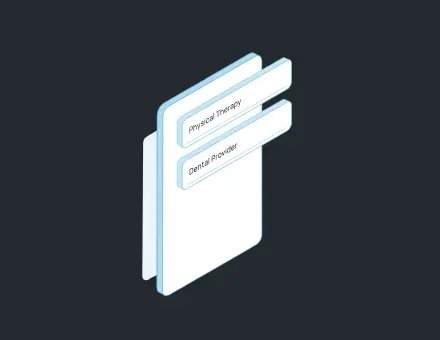 3D Illustration UI Reveal
 3D Animated Cube Icon Logo
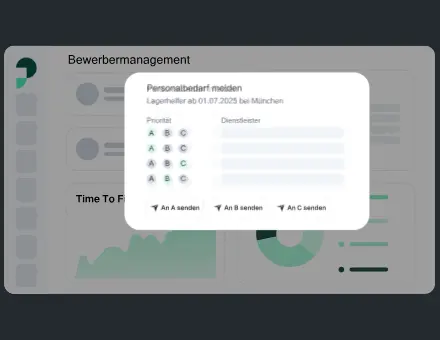 UI Dashboard Buttons Modals
Frequently asked questions
Is Lottie always the best format for a SaaS hero?
No. Suitable vector interface motion can work well in Lottie, while rendered video or a different interactive format may fit other artwork. Compare the visual requirements, runtime and delivery costs. The format guide explains the tradeoffs without declaring one universal winner.
Should the hero loop continuously?
Choose playback based on the message and interface. A short introduction may only need to play once, while a subtle repeating scene can suit another design. Include a useful static alternative and check that repetition does not compete with reading or the CTA.
What is included in the Hero Lottie Sprint?
The website package covers one hero animation up to ten seconds from supplied vector artwork and two revision rounds. Its stated production window depends on availability, complete assets and funding, with client review time excluded. Confirm additional illustration or implementation needs separately.
Can the hero be interactive on hover or scroll?
Yes, when the interaction is included in the scope and supported by the selected runtime. Define the event behavior and keyboard or touch alternative. An ordinary loop does not automatically become a complete accessible interaction after export.
Will animation increase our conversion rate?
There is no guaranteed uplift. A clear visual can support product understanding, but the result depends on the offer, traffic, page and implementation. Define what you will measure and evaluate the actual visitor behavior after launch.
What should the team supply before a quote?
Share the page context, product message, primary CTA, approved source artwork, mobile layout, runtime and deadline. Identify the review owner and whether the project includes new illustration, animation only or implementation support.
