
PRACTICAL ANIMATION GUIDE / 2026
Product Motion Design System: States, Timing Rules and Handoff
A product motion design system documents how repeated interface moments move, why they move and who maintains them. Start with an inventory of states and components, define a small set of motion roles, and connect each rule to implementation and accessibility behavior. The useful output is a shared specification with tested examples, not simply a collection of attractive loops or a universal timing chart.
1. Inventory repeated product moments
Look across the product before creating new animations. List the moments that recur: revealing information, confirming an action, showing a wait, opening a panel, guiding a first use and recovering from an error. Identify where teams have already solved the same problem differently. Screenshots and short recordings can help reveal inconsistencies that are hard to notice when reviewing one feature at a time.
For each moment, record the component, trigger, current behavior, intended meaning and owner. Include places where no movement is the right default. A system that specifies only animated examples can encourage unnecessary motion because teams have no documented still alternative. The inventory should describe the experience the product needs, not the number of animations the team hopes to commission.
Distinguish a shared pattern from a one-off story. A reusable success treatment may appear across several flows, while an onboarding illustration may explain one specific capability. They can share visual principles without becoming the same asset. Trying to force every scene into a universal component can make the system harder to use and the message less accurate.
| Product moment | Meaning to preserve | Likely owner | Acceptance question |
|---|---|---|---|
| Reveal | New information is available | Component team | Is the content accessible immediately when needed? |
| Acknowledge | A real action completed | Product and engineering | Does the visual follow the actual state? |
| Wait | Work is still in progress | Feature team | Is the explanation accurate? |
| Orient | A relationship or location changed | Design system team | Can the visitor follow the change? |
| Recover | An operation needs attention | Product and content | Is the next action clear? |
Use the inventory to select an initial scope. Choose a related set of components whose owners can participate in review. A small, adopted set of rules is more useful than an extensive document nobody implements. Expand after the team has tested the workflow and understands which patterns actually recur.
2. Define motion roles and tokens
Define roles before values. A quick acknowledgement, a panel transition and an explanatory illustration have different jobs. Give each role a clear name and describe when to use it. Then decide which shared properties need tokens, such as duration categories, easing choices, distances or emphasis levels. Do not introduce a token simply because a design tool can store another number.
Use semantic names that describe intent. For example, motion.feedback, motion.reveal and motion.story can help a team distinguish categories before it chooses concrete settings. These are proposed naming examples, not standards or universal UX rules. The values need to be tested with the actual components, content lengths and devices the product supports.
Avoid declaring one duration correct for every transition. A small state acknowledgement and a large explanatory sequence are not interchangeable. Document how the team chooses among its approved options and what constitutes an exception. If a component needs a different value, the reviewer should understand the reason rather than treating consistency as a requirement to make unlike tasks identical.
Keep brand expression separate from essential meaning. A product can have a recognizable motion character while still presenting a straightforward error message. A playful overshoot may fit a welcome scene and be inappropriate for a failed payment. The role description should help teams make that distinction without requiring a senior animator to review every routine implementation.
3. Map state changes to components
Write the state contract for each reusable component. Identify the starting state, triggering event, visual response, interruption behavior and ending state. If the application owns a value such as request completion, the animation should follow it rather than invent it. A timeline reaching its last frame is a visual event, not proof that a backend operation succeeded.
The dashboard controls, icon set and payment-success references below are original studio work that can support a discussion about component families and state changes. They are not presented as one previously deployed client design system. Use them to compare visual approaches, then define the actual rules that fit the product being commissioned.
| Component record | What to document |
|---|---|
| Trigger | The real user or application event |
| Entry | What is visible before motion begins |
| Playback | One-shot, loop, scrub or another agreed behavior |
| Interruption | What happens if the state changes mid-animation |
| Exit | The useful resting frame or next component state |
| Alternative | Equivalent meaning with reduced or unavailable motion |
| Implementation | Runtime, files, dependencies and owner |
Review rapid state changes. A user may open and close a panel before its transition finishes, or a request may return immediately. The component needs an intentional response to interruption. Without that rule, developers may independently choose to queue, cancel or restart motion, producing inconsistent behavior even when every team uses the same visual asset.
Decide which patterns belong in ordinary interface code and which need an animation asset. A simple component transition may not need a Lottie file. An illustrated sequence may benefit from one. The system should help teams choose an appropriate method rather than requiring a particular format for every movement. The format comparison offers a starting point for those decisions.
4. Document exceptions and accessibility
Include the still or reduced-motion treatment for each pattern. Describe what information remains visible and which controls continue to work. Avoid adding a general sentence about accessibility at the end while leaving component alternatives undefined. The implementation team needs a concrete behavior it can build and test, particularly for repeated loops and interactive effects.
Keep labels, states and actions understandable without relying on movement alone. A shared component should not require users to interpret a specific flourish to know that an action succeeded. Refer to the accessible Lottie checklist for controls and verification. The design system can centralize these decisions, but each integration still needs to preserve them.
Document exceptions with a reason, owner and review point. A launch campaign may use a more expressive sequence than the core application. A long-form explanation may need a different pace from a compact UI action. These exceptions do not have to weaken the system if their context is clear and they do not quietly become new defaults for unrelated screens.
Consider localization, themes and layout variants. Text length can affect timing and space; a dark surface can change visual separation; a narrow screen can alter the relationship between an illustration and its CTA. Record which variations are covered by one asset and which require separate artwork or settings. The color adaptation guide explains why one HEX replacement is not a complete theme strategy.
5. Assign ownership and version updates
Name a design owner and an implementation owner for each shared pattern or family. Define who approves a new use, changes a token or accepts an exception. Without ownership, a motion system can become a folder of files whose intended behavior is known only to the person who exported them. A short maintained specification is more useful than an elaborate abandoned library.
Version the documentation with the runtime assets and implementation examples. Record what changed and whether adopting teams need to update anything. A new visual export may be compatible with the existing component, while a changed state contract may require application work. Make that distinction visible so a routine asset update does not unexpectedly alter product behavior.
Choose a representative screen for integration review. Verify the documented states, interruptions, fallback and layout variants there before encouraging wider reuse. Capture observations and assign unresolved issues. Do not claim that a system improves retention or engineering speed without evidence from the product. The immediate, verifiable deliverable is a consistent specification and a checked example implementation.
To scope a motion-system project, share the component inventory, existing design system, target runtimes and likely adoption teams. Identify whether you need an audit, a first pattern family, new illustrations or implementation support. Start with SaaS animation services and the project process. The handoff checklist can become the delivery record for each approved pattern.
ORIGINAL PORTFOLIO REFERENCES
See the motion behind the decisions.
Preview these real studio assets to discuss visual direction. Portfolio access does not grant a reuse licence for commissioned work.
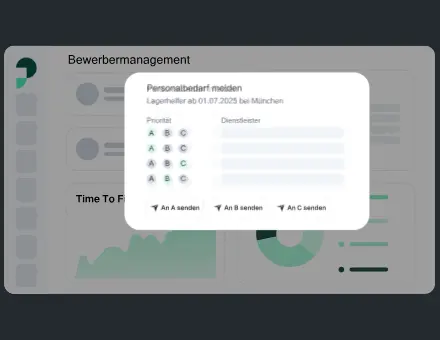 UI Dashboard Buttons Modals
 UI Icons Set
 App Illustration Payment Success
Frequently asked questions
Is a motion design system just a library of Lottie files?
No. The files are only part of it. The system also explains purpose, states, timing choices, interruption behavior, alternatives, ownership and implementation. Without those rules, teams can use the same asset in inconsistent ways.
Do all components need the same duration?
No. Define a small set of roles and approved choices, then test them in context. Different tasks may need different timing. The system should explain how to choose and document exceptions rather than force every transition into one value.
Should every motion pattern use Lottie?
No. Ordinary interface transitions may be better expressed in the component’s existing implementation. Illustrated motion may need an asset. Select the method according to the visual, interaction and delivery requirements rather than a format preference alone.
Are the references one complete client motion system?
No. They are original studio animations used to discuss different component and state ideas. This guide does not attribute them to a single invented system or claim unverified results for their adoption.
Who should own the system after handoff?
Name both design and implementation owners within the product team or agreed support arrangement. Define how new uses, updates and exceptions are reviewed. The responsibilities should be explicit rather than assumed to remain indefinitely with the animator.
What is a useful first project scope?
Start with a related set of repeated product moments and a representative integration. Define the rules, assets, alternatives and acceptance evidence for that set. Expand once the team has tested adoption and identified the next recurring need.
Sources and related reading
- SaaS animation services and production process.
- Accessible motion checklist, color adaptation and empty states.
- Format comparison and developer handoff.
- Original animation studio. Token names and workflow matrices in this article are proposed examples, not universal standards.
