
PRACTICAL ANIMATION GUIDE / 2026
Lottie iOS and Android Compatibility Checklist Before Handoff
The same Lottie artwork may be suitable for web, iOS and Android, but acceptance depends on its features and the exact runtimes used by the product. Name the SDKs and app targets, compare representative frames, test lifecycle behavior and record a platform-specific acceptance matrix. A successful browser preview is not evidence that every native integration will look or behave identically.
1. Name the SDK and minimum app targets
Ask the mobile developers which packages the application uses before production begins. Record the exact versions, integration approach and supported operating-system targets. If the product has a shared application layer, identify which native or wrapped player ultimately renders the animation. “We support mobile” is not enough information to prepare a reliable export or to reproduce a later problem.
The official Lottie iOS and Lottie Android repositories provide the starting documentation for those libraries. They are separate implementations with their own integration guidance. Check the documentation and release information for the versions actually used by the client; do not copy a setup instruction from an unrelated web example and assume it applies to a native app.
Define where the animation appears. An onboarding sequence, a compact payment result and a persistent loading treatment need different acceptance scenarios. Note whether the screen can rotate, whether it appears in several layouts and whether the application can revisit it without restarting. The designer needs this context to choose useful resting states and the developer needs it to plan lifecycle behavior.
Include the actual device mix in the test plan. A preview on one recent development device does not describe every supported device. The team should agree representative targets appropriate to its product rather than claiming universal compatibility. This guide supplies a test structure; it does not invent a device certification list or benchmark scores for the studio’s portfolio assets.
2. Audit the exported feature set
Review the composition before promising one identical file for every platform. Identify text, images, masks, gradients, expressions or other features that deserve closer inspection in the chosen runtimes. The relevant question is whether the actual export is accepted and displayed correctly in the target environment. A feature’s appearance in the production software is not proof of identical support after export.
Ask for a representative early export when the artwork is complex or the delivery environment is unfamiliar. Testing one meaningful section can expose an incompatibility before the entire sequence is polished. Choose a section that contains the important visual features rather than the easiest frame. Record what was tested and which parts of the final composition still need review.
Keep external assets with the runtime package and explain how they are resolved. If the app loads files remotely, agree who hosts them, how versions are selected and what happens when the network is unavailable. If assets are bundled with the app, identify which release owns the update. Those delivery decisions belong to the implementation scope and cannot be inferred from a standalone preview.
Do not confuse packaging with compatibility. A .lottie container can change how resources are delivered, but the selected player still needs to support the relevant package and animation features. Read the dotLottie versus JSON guide before deciding the handoff format. Confirm the final file type with both platform owners rather than choosing it solely because the extension looks more modern.
3. Compare the same frames on each platform
Use a shared review sheet containing the approved visual and the same representative frames from each target implementation. Include the entrance, a visually complex moment, a state transition and the resting frame where relevant. Align playback conditions before judging differences. Comparing different moments in the timeline can create a false impression that one platform is missing artwork.
The wallet, declined-payment and deposit-success references below are original studio examples that can help discuss composition and state meaning. They are not published as certified test results for every iOS or Android SDK. Their portfolio platform labels express potential delivery directions; a commissioned implementation still needs its own acceptance evidence.
| Acceptance area | iOS record | Android record | Shared decision |
|---|---|---|---|
| Runtime | Package and exact version | Package and exact version | Approved delivery format |
| Appearance | Compared frames and observations | Compared frames and observations | Acceptable visual result |
| Layout | Sizes, scale and crop | Sizes, scale and crop | Required layout variants |
| State behavior | Triggers and playback results | Triggers and playback results | State contract |
| Fallback | Static and failure behavior | Static and failure behavior | Equivalent product meaning |
| Verification | Device and app build | Device and app build | Named sign-off owners |
Document discrepancies in concrete terms. “The label is clipped in this view” is easier to investigate than “Android looks wrong.” Include the app build, screen size and relevant asset version. Decide whether the fix belongs in the export, the container layout or the runtime configuration. Avoid changing the source until the team understands which layer is responsible.
4. Test lifecycle, loading and reduced motion
Test entering and leaving the screen while playback is active. Return to it, background and resume the app, and trigger the same product event again. The desired behavior may be resume, restart, remain complete or show a still. Choose it according to the product state and document it. The animation should not accidentally replay a success confirmation for an operation that has not just occurred.
Separate visual playback from business logic. A payment result should follow the actual result supplied by the application. Completion of an animation timeline must not become the source of truth for a financial or account state. The designer can define the visual response, while the developer connects it to real events and handles interruption or failure.
Agree how the app handles motion preferences and what static alternative it uses. The platform implementation differs from a web CSS media query, so the native team should own the appropriate detection and response. The common design requirement is that the user keeps the same information and available actions when unnecessary motion is reduced. Review the actual app rather than assuming a web fallback transfers automatically.
Include missing or delayed assets in the test when remote delivery is used. Confirm that an ordinary screen remains usable and that a meaningful fallback appears. Decide whether an update can arrive while a component is already visible and how that version change is handled. These cases are easy to overlook when everyone reviews a local file that always loads immediately.
5. Agree a platform-specific acceptance matrix
Turn the comparison sheet into a delivery agreement. Name who checks each platform and what evidence is sufficient for acceptance. The designer may supply the runtime files and preview, while the product team provides builds and device testing. If native integration work is included, state that explicitly. File delivery alone does not imply development access or testing on every app target.
List any approved differences. A product may accept a simplified effect on one platform, or it may require matching artwork and therefore a revised composition. Either can be a deliberate decision, but the limitation should not be hidden. Preserve the original requirement, observed issue and agreed resolution in the handoff so later maintainers understand the chosen tradeoff.
Version the files and the acceptance record together. When artwork changes, the team should know which platform evidence applies to which asset. An old screenshot is not a test result for a newly exported file. Likewise, a runtime upgrade may justify repeating the relevant checks even if the animation source is unchanged. Keep the retest scope tied to what actually changed.
For a quote, send the intended screens, exact players, supported app targets, source artwork and platform owners. Start with Lottie animation services and attach the handoff checklist to the scope discussion. Clear acceptance responsibilities are more useful than a broad compatibility badge with no definition of what was tested.
ORIGINAL PORTFOLIO REFERENCES
See the motion behind the decisions.
Preview these real studio assets to discuss visual direction. Portfolio access does not grant a reuse licence for commissioned work.
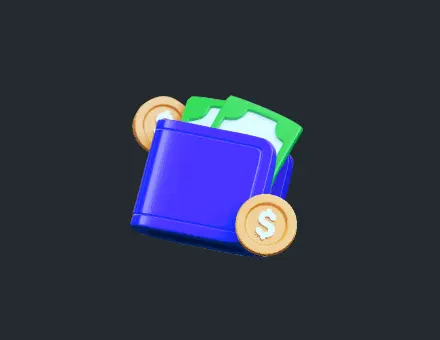 App Wallet Illustration Icon
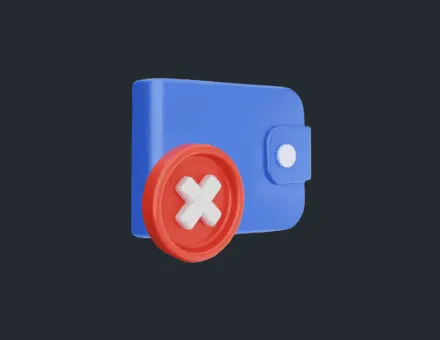 App Payment Failed Declined
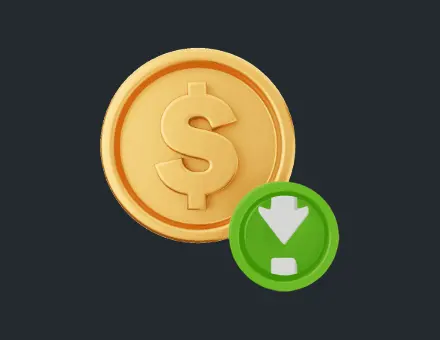 App Success Deposit Icon
Frequently asked questions
Can one Lottie file work on web, iOS and Android?
Potentially, but the actual features and runtime versions need checking. Test the file in the intended implementations and record the result. Successful browser playback does not establish identical native behavior.
Do the studio’s platform labels certify native compatibility?
No. They indicate intended delivery potential, not a completed test matrix for every library asset and SDK release. A client project should identify its own runtime, device targets, accepted visual result and verification owners.
Should I send the developer only the animation file?
Send the agreed runtime package, dependencies, preview, state instructions and fallback information. Identify the version and target platforms. The exact editable source deliverables and integration responsibilities belong in the scope.
Does using .lottie solve all compatibility differences?
No. Packaging and rendering support are separate concerns. The selected player must understand the package and the features used by the animation. Confirm the delivery format with the target platform teams.
What should happen when the app resumes?
Define the behavior from the current product state. The visual might resume, restart, remain complete or show a still. Test the chosen behavior so a lifecycle event does not accidentally repeat or misrepresent a real user action.
When should compatibility checks be repeated?
Repeat the relevant checks after changes that could affect the evidence, such as a new export, runtime upgrade, target platform or layout. Keep asset versions and acceptance records linked so the team knows what was actually verified.
Sources and related reading
- Official Lottie iOS and Lottie Android projects.
- dotLottie versus JSON and developer handoff checklist.
- Accessible motion requirements, troubleshooting and Lottie services.
