
PRACTICAL ANIMATION GUIDE / 2026
Lottie Animation Not Playing? A Practical Troubleshooting Checklist
When a Lottie animation is blank, frozen or incomplete, check the response data, container, dependencies and playback state before changing the artwork. Reproduce the problem with the same file and player in a minimal page, then add the application behavior back gradually. A visible pause caused by a reduced-motion preference is different from a failed request. Diagnose the actual symptom rather than assuming every still frame is a broken export.
1. Check the request and file contents
Open the browser’s network tools and inspect the animation request. Check its status, response body and final URL. A successful HTTP response can still contain an HTML error page or a redirect destination rather than animation data. Confirm that the delivered resource is the file you intended to load. This is especially useful when a local preview works but a production path does not.
Distinguish the delivery format from the filename you expected. A JSON animation and a compressed .lottie container need a compatible loading path. Renaming an extension does not convert the contents. If the asset is delivered from another origin, inspect any request errors and the hosting configuration rather than attempting to fix the issue by changing random player settings. Keep credentials and private URLs out of public bug reports.
Check for stale copies. The browser, asset host or application may be serving an earlier version while the designer is reviewing a newer file. Record the asset version or a checksum in the reproduction notes. Use a deliberate versioned URL or the project’s normal cache policy when shipping changes. Do not assume that repeatedly refreshing the page establishes which file a particular visitor receives.
| Symptom | First check | Next action |
|---|---|---|
| Completely blank area | Response body and container dimensions | Fix the request or visible layout before editing motion |
| Some objects missing | Asset requests and export features | Restore dependencies or review the composition |
| Visible but still image | Autoplay, pause, segment and motion preference | Confirm whether the state is intentional |
| Works once, fails after navigation | Instance lifecycle | Reproduce mount, teardown and return |
| Different from the approved preview | Player, renderer and asset version | Compare identical inputs before changing the design |
2. Check container size and initialization
Inspect the element that should contain the player. It may exist but have no useful width or height, be hidden by a parent, or sit outside the visible area. Temporarily give the test container an explicit size and remove surrounding layout complexity. If the animation appears, the next task is understanding the real layout condition rather than rewriting the animation data.
The lottie-web options documentation requires a container element that exists when loadAnimation is called, and accepts a data object or an external JSON path. See the loading options. In a component framework, make sure initialization happens after the relevant element is available. A missing or replaced container is an integration issue even when the JSON is valid.
Check whether the player library itself loaded and whether an earlier JavaScript error stopped initialization. Start with the first relevant error in the console, not the last symptom it caused. If the application initializes many components, reduce the page to one instance. This makes it easier to distinguish a bad file from a conflict in route handling, observers or application state.
Avoid adding a second player on top of an existing one as a quick fix. It can hide the original lifecycle bug while leaving duplicate work active. Confirm how many instances are created and which one owns the visible container. Record that relationship explicitly in the minimal reproduction so another developer can follow the sequence without guessing.
3. Check assets, fonts and export support
An animation can load its main data while still missing referenced images or other dependencies. Inspect the failed secondary requests and compare them with the delivery package. Check path case, relative locations and filenames. A file that happened to resolve on a local environment may not resolve the same way after being moved into a different directory structure.
The archived podcast preview in this studio provides a real, documented example. Its source references a photo named img_0.jpg that is absent from the available source folder and the checked live asset location. The website keeps the original JSON intact, renders the available layers in the preview and displays a missing-image notice. That incomplete archived reference is not presented as a finished client delivery.
If all required assets arrive but the appearance is wrong, compare the chosen renderer and exported features. The renderer guide explains a controlled comparison. Do not treat a valid JSON parse as proof that every exported feature is supported by the selected runtime. A technical preview and the approved visual need to be compared at the same frames.
Ask the designer for the intended export package and reference preview. Missing artwork may require restoring a dependency; unsupported visual features may require a revised export. Those are different fixes. Preserve the failing file for diagnosis and make changes in a versioned copy so the team can see which change resolved the issue.
4. Check playback state and lifecycle
Look at the component’s actual playback policy. Autoplay may be disabled, the animation may have completed a play-once sequence, or the page may intentionally pause offscreen motion. A reduced-motion preference can also select a static treatment. Check these conditions before describing the asset as frozen. A well-designed static fallback can look like a still frame because that is its intended behavior.
For lottie-web, the official API documents playback and lifecycle methods such as play, pause, frame positioning and destroy. See the project usage documentation. Use the methods exposed by the installed version and wrapper. Do not issue commands against an old instance after the framework has replaced the visible component.
Test the path that produced the failure. Load the route directly, navigate into it from another page, leave it during playback and return. Change visibility or the triggering product state where relevant. If the bug only happens on the second visit, a standalone first-load preview may never reveal it. Record the smallest sequence that still reproduces the problem.
Check observer and event cleanup. A previous listener might pause a new instance or issue a command after its container is gone. Likewise, destroying the wrong instance can leave the active one running. Treat cleanup as part of the integration design rather than a separate optimization. The React guide and handoff checklist provide related context.
5. Create a minimal reproducible example
Build a small page with one animation, one visible container and the exact runtime version. Start with the failing asset. Then try a controlled reference that you know displays in the same environment. The connection icon below can serve as a visual comparison within this portfolio, while the sound-wave loader is useful for examining loop behavior. Neither proves that every composition will work in the same setup.
Add application features back one at a time: layout, state events, observers and route transitions. Record the first addition that reproduces the failure. This process is more informative than changing several settings together and discovering that the bug disappeared. A useful fix includes an explanation of what condition caused the problem and which behavior now covers it.
Keep a short support packet: expected preview, observed result, reproduction steps, player version, file version, relevant console and network findings, and the tested device or browser. Remove secrets and client data before sharing. If the artwork is confidential, agree a private review route rather than posting the full source into a public issue.
For an initial inspection, use the Lottie analyzer and the web animation service. An analyzer can help inspect structure, but it does not reproduce every page lifecycle or certify compatibility. A scoped troubleshooting request should identify whether the work concerns a missing dependency, export revision, integration fix or a broader production handoff.
ORIGINAL PORTFOLIO REFERENCES
See the motion behind the decisions.
Preview these real studio assets to discuss visual direction. Portfolio access does not grant a reuse licence for commissioned work.
 Icon Connect
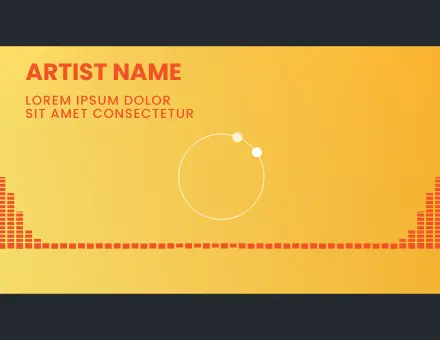 App Podcast UI
 App Loader Sound Wave
Frequently asked questions
Why is the animation blank even though the request returns 200?
Inspect the response body and the container. The response may be HTML rather than the intended animation, or the visible element may have no usable dimensions. A successful status alone does not prove that initialization and rendering succeeded.
Does a valid JSON file guarantee playback?
No. The runtime must support the relevant data and features, dependencies must resolve, and the application must initialize and control the player correctly. Parsing is one check in a larger diagnosis.
Why are some objects visible but a photo is missing?
The main animation may reference an image that did not arrive or cannot be found at its expected path. Inspect secondary requests and the delivery package. Restore the correct dependency rather than assuming all missing visuals are renderer bugs.
Can reduced motion explain a still preview?
Yes, when the integration intentionally uses a static treatment for that preference. Check the component’s policy and controls before classifying the still frame as a failure. The fallback should remain understandable and usable.
Why does playback fail only after returning to a route?
Investigate instance ownership, initialization, cleanup and listeners during navigation. The original player may have been destroyed or an old observer may still affect the new instance. Reproduce the exact navigation sequence in a minimal example.
What should I send with a troubleshooting request?
Include the expected preview, failing file version, exact runtime, reproduction steps and relevant network or console findings. Share a minimal example when possible and remove credentials, personal data and confidential material before public sharing.
