
PRACTICAL ANIMATION GUIDE / 2026
Lottie Animation Brief Template for SaaS Product Teams
A useful Lottie animation brief describes the product moment, the user’s next action, the required states and the target runtime. Add approved artwork, sizes, a review owner and a realistic deadline. Those details let a designer quote a defined animation rather than guess what “make it feel premium” means. The template below turns an early idea into a brief that a designer and developer can both use.
1. Start with one product moment
Begin with what the visitor or user is trying to understand. An onboarding illustration introduces a capability. A loading state explains that something is happening. A confirmation shows that an action completed. A hero animation introduces the product before the visitor has used it. These moments need different motion, even when they share the same brand colors.
Write the purpose as a sentence with an observable context: “After a user connects an account, show that the connection succeeded and point them to the next step.” This is more useful than “We need a modern animation.” It identifies the trigger, the meaning and the relationship to the rest of the interface. The designer can then ask whether the motion should play once, loop or respond to another event.
Choose one primary communication job for the first scope. If you need a product overview, a set of status indicators and a marketing film, list them separately. They may belong in one project, but they are not one interchangeable deliverable. Separating them helps the quote explain where the effort goes and what can be delivered in stages.
Describe the audience’s starting knowledge. A first-time visitor needs context that an experienced dashboard user may already have. Include the copy around the animation and the intended call to action. The visual should work with that information, not carry instructions that exist nowhere else. If the product team cannot yet explain the message in words, an animation reference will not resolve that ambiguity by itself.
2. Describe the states and triggers
List the states the product actually has. For a submission flow, that might include idle, submitting, completed and failed. A simple marketing loop may have only a start and a resting frame. An interactive component may need separate hover, pressed and selected states. The point is to describe the behavior before deciding how many files to export.
| Brief field | Useful example | What it helps decide |
|---|---|---|
| Trigger | Play after the application confirms a successful connection | When animation starts |
| State | Connection complete | What the visual communicates |
| Playback | Play once, then hold a readable final frame | Loop and end behavior |
| Interruption | Leave the screen immediately if the user navigates away | Lifecycle expectations |
| Error | Show a separate failure state and explanatory text | Additional scope |
| Fallback | Show the final static illustration | Reduced-motion and loading behavior |
| Next action | Continue to the dashboard | Relationship to the interface |
This table is an illustrative brief, not a description of a particular client’s product. Replace its entries with the real events and decisions in your application. A success animation should follow a confirmed success event; a decorative timeline should not silently become an inaccurate progress indicator.
For an interactive request, describe what should happen when someone repeats or reverses an action. Can they toggle the same control twice? What happens if a request fails after the animation starts? Is there a meaningful resting state? These questions often change the scope more than a request for a longer duration.
Keep implementation choices open until the behavior is understood. A scroll-driven sequence and a looping JSON file are not the same specification. The interactive Lottie demos can help you point to a behavior, while the format comparison guide helps separate runtime animation from rendered video.
3. Supply artwork and runtime requirements
Share the approved artwork rather than a screenshot alone whenever editable assets exist. Include the relevant Figma frames or vector files, brand colors, type guidance and the surrounding UI. Identify anything that is still a placeholder. A designer needs to know whether the job is animation of finished artwork, preparation of inconsistent assets or original illustration followed by animation.
Name the platform and the intended player with your developer. “For our website” is a useful start, but a hand-built React interface, a Webflow page and a native app can have different integration requirements. Specify the versions and renderers the team expects to support when those are already known. Do not use the word Lottie as a substitute for the runtime decision.
For example, lottie-web exposes separate settings for the container, renderer, loop, autoplay and animation source. Those choices affect the integration brief, even when the underlying artwork stays the same. See the official lottie-web options. The brief does not need production code, but it should identify who will make and test those choices.
State the intended display sizes and backgrounds. A small icon on a dark dashboard needs different visual judgment from a full-width hero illustration. Include mobile layouts, cropping expectations and any required transparent background. If the same piece will be reused in a presentation or campaign, ask for the additional format explicitly instead of assuming it follows automatically from the web export.
Agree a useful fallback with the designer. A static frame, simplified illustration or ordinary text status may communicate the essential information without continuous movement. The browser’s reduced-motion preference is one input to that decision; MDN explains how the preference is exposed. Include the fallback in the acceptance criteria, not as an item to discover at the end.
4. Agree scope, budget and review checkpoints
Count the actual deliverables: icons, scenes, interaction states, size adaptations and target platforms. Then identify which assets are already approved. “Five onboarding scenes from finished vector artwork” is a different scope from “help us define onboarding, design the scenes and animate them.” Both can be valid commissions, but the schedule and quote should show the difference.
At Sergey Designer, the published direct-site starting prices are $120 for a Lottie icon, $500 for a web animation set and $2,000 for an onboarding set. The fixed-scope Hero Lottie Sprint is $450; the 8-icon set is $960. These are defined entry points, not a promise that every reference fits the smallest package. Check the current service scopes before using a price as your budget.
If the engagement will run through Upwork, fixed-price projects start at $600 and hourly collaboration at $60/hour. That channel minimum is separate from the direct-site Sprint price. A brief should say where the engagement will take place so the written proposal uses the appropriate scope and commercial terms.
Separate the desired launch date from the animation handoff date. Your team may need time for development, testing, copy review and release approval after receiving the files. Tell the designer about those dependencies. Production timing also depends on an agreed start date, complete assets and funding; client review time is not invisible spare capacity.
Name one feedback owner who can consolidate comments. Agree when the client reviews the visual direction, rough timing and refined animation. The published fixed-scope sprints include two revision rounds within their approved scope. A new scene or a replacement concept should be discussed as a scope change rather than hidden inside a vague revision request. The process page shows these checkpoints in order.
5. Copy this brief and choose useful references
Use the following template in a document or message. “Not decided yet” is a useful answer when it identifies a decision the project needs to make. It is better than silently assuming a platform, file format or deadline that the team has not agreed.
Product / company:
Audience and their current knowledge:
Product moment this animation supports:
One thing the user should understand:
Next action in the interface:

Required states and triggers:
Loop / play-once / hold behavior:
Interruption, error and retry behavior:
Static or reduced-motion alternative:

Approved artwork and copy:
Brand assets and references:
What still needs to be designed:
Target platform, player and version:
Display sizes and backgrounds:

Number of scenes / icons / variants:
Required exports and editable sources:
Developer or integration owner:
Feedback owner and review availability:
Preferred handoff date and launch date:
Budget range and engagement channel:
Anything the proposal must exclude:
Choose two or three references and explain what you like about each. Useful comments describe timing, clarity, transition behavior or the relationship to a screen. “Use this pacing, but our own artwork and states” is more actionable than asking to combine the entirety of several unrelated animations.
The dashboard reference can support a conversation about UI transitions. Compare payment success with payment declined when discussing distinct outcomes. These are real portfolio references, not automatically a ready-made production package for your application.
Before requesting a quote, check whether the brief explains the product moment without the reference links. If it does, the references can add visual direction instead of carrying the entire specification. Send that brief through Lottie animation services to discuss a scope, or use the project estimator as an initial planning aid. The final proposal should resolve the remaining assumptions in writing.
ORIGINAL PORTFOLIO REFERENCES
See the motion behind the decisions.
Preview these real studio assets to discuss visual direction. Portfolio access does not grant a reuse licence for commissioned work.
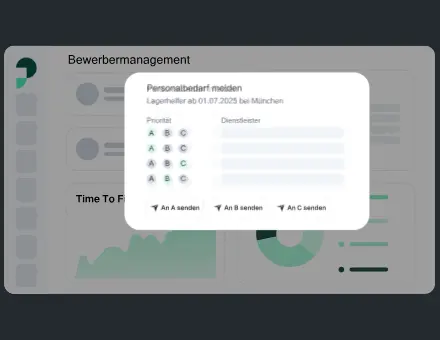 UI Dashboard Buttons Modals
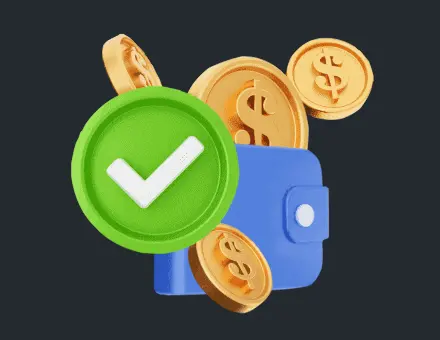 App Illustration Payment Success
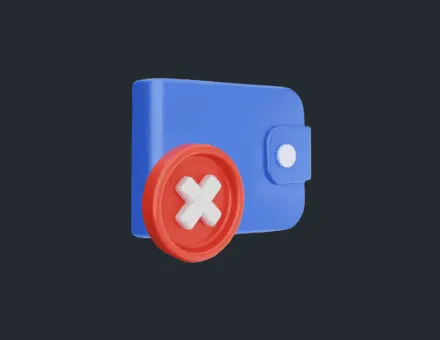 App Payment Failed Declined
Frequently asked questions
Do I need final artwork before asking for a quote?
No. Explain which assets exist and which still need design. The quote can include preparation or illustration, but that work should be visible in the scope rather than assumed to be part of a small animation-only package.
How many references should I send?
Two or three focused references are usually enough for an initial direction. Add one sentence explaining the specific quality you want from each. A long unranked list makes it harder to identify what matters.
Should I request JSON or dotLottie in the brief?
Name the intended platform and player first, then agree the supported delivery format with the designer and developer. If the runtime is not chosen, say so. The proposal can make that decision explicit instead of treating the extension as the whole specification.
Can I ask for a conversion-focused animation?
Yes, but define the visitor action and how your team will measure it. Clearer product communication is a design objective; a promised percentage uplift needs evidence from a suitable test, not an assumption in the brief.
What if my deadline or scope changes?
Share the change before the next production stage. The designer can assess its effect on deliverables, review work and schedule. Keep the revised agreement attached to the same project brief so everyone works from the current version.
What is the next step after the brief?
Confirm the scope, available start date, payment milestones and review owner. Then move into the appropriate visual-direction and timing work. Small icon commissions may combine stages; larger sequences need more explicit approvals.
