
PRACTICAL ANIMATION GUIDE / 2026
AI Loading Animation UX: Progress, Waiting and Honest Feedback
An AI loading animation should explain the operation that is happening, show only progress the application can actually measure, and offer a clear next step when the request takes longer or fails. Start with the product’s real states, then design the motion. A polished loop can make waiting understandable; it cannot verify a result, predict an unknown completion time or replace useful status text.
1. Separate real progress from activity
Before commissioning an AI loader, ask the developer what the interface knows. An upload may expose transferred bytes and a total. A generation request may expose only accepted, running and completed events. A pipeline might report individual stages without knowing how long the remaining stages will take. Each situation deserves different feedback. These are proposed product scenarios, not performance claims about a particular client’s application.
Use determinate progress when the underlying measurement has a meaningful total. Use an indeterminate activity treatment when completion cannot be calculated. Avoid a percentage that advances because an animation timeline advances. A bar that reaches almost complete and then waits indefinitely sets an expectation the service may be unable to meet. A clearly labelled activity loop makes a smaller, more defensible promise: the operation is still running.
The same caution applies to a sequence of stages. “Reading files” and “Preparing an answer” can be helpful if actual events distinguish those operations. Cycling through invented stages on a timer may look informative while describing nothing the system is doing. Ask the engineering owner which events can be relied upon before approving the storyboard. If those events are unavailable, simplify the status model rather than invent telemetry.
| What the product knows | Appropriate visual | What the copy can say | What to avoid |
|---|---|---|---|
| Uploaded bytes and total bytes | Measured progress | Uploading your selected files | Treating upload completion as analysis completion |
| A request is active, duration unknown | Indeterminate loop | Generating your draft | An unsupported time estimate or percentage |
| A real processing stage changed | Stage transition | Preparing the preview | Timed stages presented as actual backend progress |
| A result was returned | Completion transition | Your draft is ready to review | Claiming the generated content is verified |
| An error or timeout was reported | Static explanation and recovery action | We could not finish this request | An endless loop with no way forward |
2. Name the operation in plain language
Write the status message before choosing the animation reference. “Processing” could mean uploading, analysing, generating or saving. A more specific label gives the visitor a reason to wait and helps support teams understand screenshots. Keep the wording consistent with the surrounding interface. If the product calls an object a document, do not suddenly rename it a knowledge asset inside the loader.
The animation should reinforce the message without carrying all of it. A file illustration may suggest document processing, but it does not explain whether the user can leave the screen. A chat response illustration may communicate that a reply is being prepared, but it cannot tell someone whether their original prompt was saved. Put those decisions into readable interface copy and controls. The moving artwork then provides a visual cue rather than essential hidden instructions.
Use the original studio work as a discussion reference, not proof of a production integration. The file-processing reference is useful for discussing document workflows. The chat-text reference helps discuss an answer appearing in a conversation. The AI tools diagram offers a broader illustration direction. None of those previews establishes which events, retries or accessibility features a client application already supports.
For assistive technology, useful status text also needs an appropriate implementation. W3C documents using a pre-existing role="status" region to announce status updates politely without moving focus. Its example includes aria-atomic="true" so the complete message is presented. This is a technique to evaluate with the actual interface, not a reason to announce every animation frame. See the W3C status-message technique.
3. Plan waiting, timeout and retry states
A loading animation is only one part of a request lifecycle. Include the resting interface, the action that starts work, the pending state, completion, failure and any supported cancellation. Define who owns the text and when controls become available again. A retry should have an explicit product meaning: repeat the same request, edit the input or resume an interrupted upload. The designer should not have to infer that behavior from a looping preview.
Decide what happens during a longer wait. The answer depends on the application. Some workflows can continue in the background; others require the current view. If the service can notify the user later, explain that option accurately. If leaving the page loses progress, the interface should make that consequence understandable. Do not advertise background processing or notification features that the product has not implemented.
Review unusual paths before final export. What if completion arrives before the entrance animation finishes? What if the user submits twice? What if the request fails after a success-looking visual has begun? The implementation should follow actual state changes, including fast responses. Holding back a completed result simply to finish a decorative sequence is rarely a good default. Agree whether motion can skip, finish quickly or immediately show its final frame.
Keep errors calm and actionable. A red pulse by itself does not explain what happened or what the visitor can do. Pair the visual with an explanation the product team has approved. Preserve useful input when the application supports it. Avoid blaming the person for an infrastructure failure. These details belong in the UI design and development scope, even if the animation export itself is a small file.
4. Match motion to actual events
Give the developer a state contract alongside the visual. For a simple implementation, that might be a small table of event names, visible text, animation segment and loop behavior. A more involved interaction may require separate assets or a compatible state-based player. Choose that arrangement with the developer before production. A Lottie export does not automatically contain all the application logic surrounding it.
| Event supplied by the application | Motion instruction | Exit condition |
|---|---|---|
| Request accepted | Enter the waiting treatment | Entrance finishes or another state arrives |
| Request still running | Loop the approved waiting segment | Success, failure or supported cancellation |
| Result returned | Show completion or directly reveal content | The result is available to review |
| Request failed | Stop decorative waiting and show recovery UI | A new explicit user action |
Document the reduced-motion version at the same time. The operating-system preference can be detected with prefers-reduced-motion; web.dev explains its use from CSS and JavaScript. For this proposed loading pattern, a stable illustration plus changing status text is a useful alternative to a continuous decorative loop. Keep the meaning and available actions intact when motion is reduced. See the reduced-motion implementation guide.
Reserve the player’s dimensions so loading the artwork does not push the surrounding UI around. Decide what remains visible if the asset or player fails. Pause visual playback when it is irrelevant or offscreen, while keeping the underlying request lifecycle independent. Stopping a loop must not accidentally stop the business operation. That separation makes the interface easier to debug and the handoff easier to understand.
5. Test expectations with representative users
Review the full interface rather than the animation alone. Ask a participant what is happening, whether they need to wait, what they expect next and what they would do if the request failed. Those answers reveal whether the visual and text tell the same story. Do not assume a smoother loop automatically improves conversion or satisfaction. This portfolio does not claim a measured uplift for these example animations.
Use several controlled request scenarios: immediate completion, a longer wait, a returned error and a missing animation asset. Test keyboard navigation and the reduced-motion alternative. Check the smallest layout that the product supports. For a chat product, also inspect whether new content moves existing text unexpectedly or makes the visitor lose their reading position. Record the actual observed issue and its owner instead of treating every issue as an animation revision.
For a quote, send a screenshot or Figma frame, the real state list, event availability, runtime, target sizes and references from the studio. Specify whether illustration design is supplied and whether implementation is included. A single visual loop and a complete multi-state UI are different scopes. The written proposal should identify the deliverables, review rounds and any dependencies on the product team.
Start with AI startup animation services, or use the Lottie brief template to prepare the input. If engineering already has the state contract, the handoff checklist helps define the export package. Current starting prices and scoped packages are on the services page; the final quote depends on the actual state and artwork requirements.
ORIGINAL PORTFOLIO REFERENCES
See the motion behind the decisions.
Preview these real studio assets to discuss visual direction. Portfolio access does not grant a reuse licence for commissioned work.
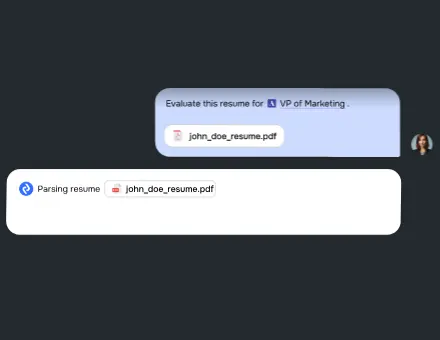 UI AI Files Working
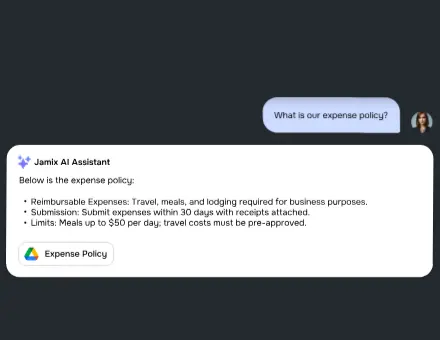 UI AI Response Chat Text
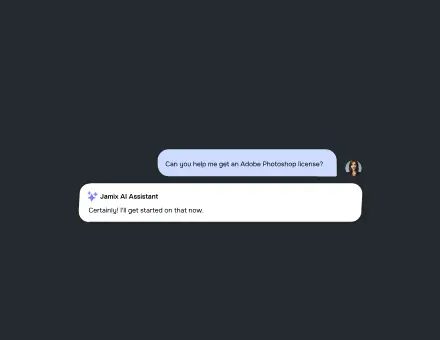 AI Tools Chat Diagram
Frequently asked questions
Should an AI loading animation show a percentage?
Only when the application can calculate meaningful progress for that operation. If duration or total work is unknown, use an indeterminate visual with accurate status text. An animation’s elapsed frames are not evidence of backend completion.
Can one Lottie cover waiting, success and failure?
It can be designed with agreed segments, but the chosen player and application still need to control them correctly. Separate assets may be easier for some teams. Confirm the runtime and event contract before deciding the export structure.
What should happen when generation finishes immediately?
Make the result available promptly. Agree whether the entrance can be skipped or the visual can move directly to its final state. The product should not require a user to watch an entire decorative loop before accessing a completed result.
Are the studio examples connected to a real AI service?
The referenced studio assets are original animation previews. They demonstrate visual work, not an active AI request lifecycle. A client integration needs its own real events, status text, error handling and testing.
What is included in a loading-animation brief?
Include the product screen, available artwork, real states, triggering events, runtime, sizes and reduced-motion behavior. State whether you need only the animation files or also assistance implementing and testing the interaction.
Can motion reduce the actual processing time?
Animation does not make a remote generation service finish sooner. Its job is to communicate the current state and the visitor’s options clearly. Any improvement in task completion or perceived waiting needs to be evaluated in the actual product.
